Guide
How to Write AI Photo Prompts That Actually Work
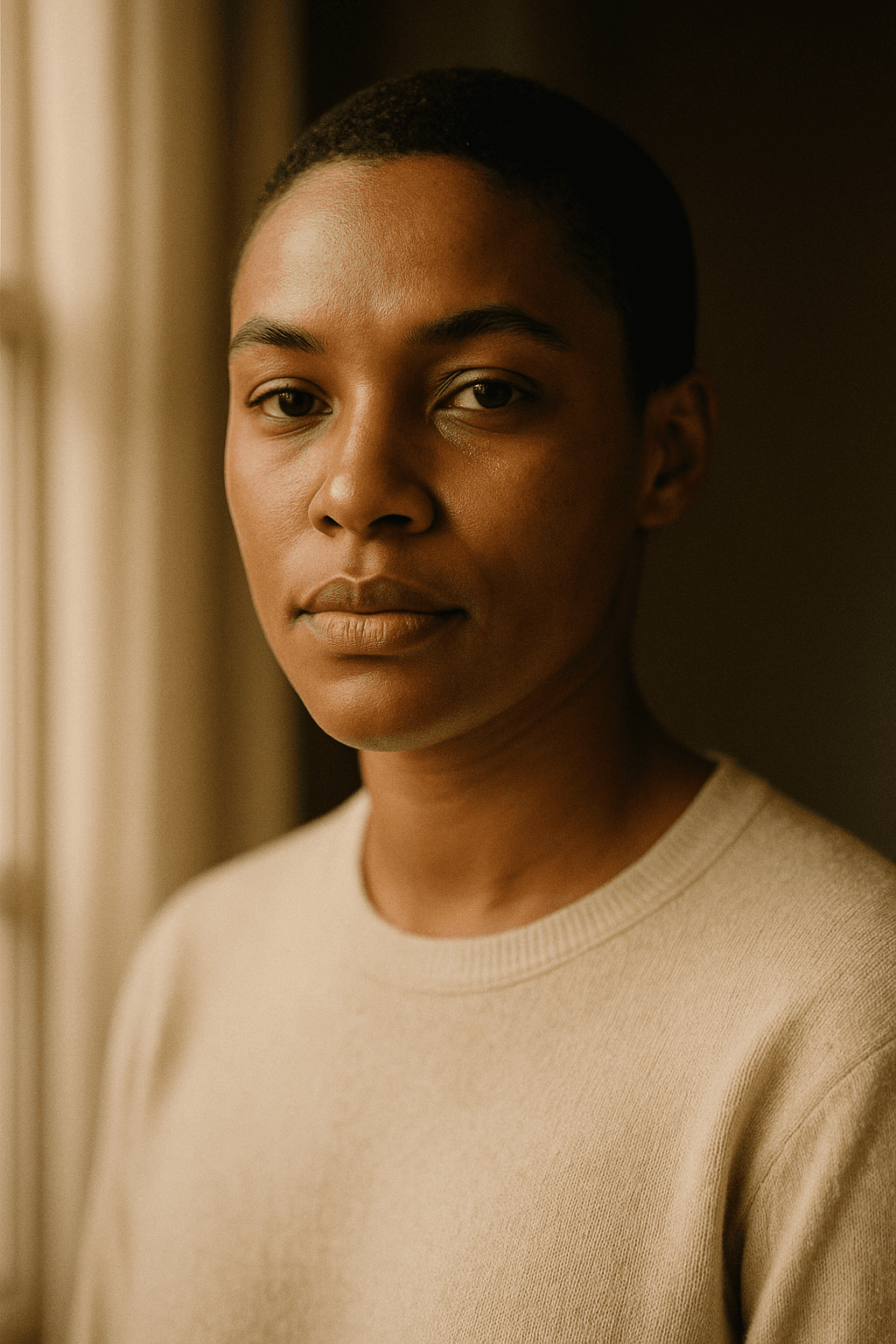
What is the anatomy of a strong AI photo prompt?
Every effective prompt is built from the same parts, layered from most important to least. Think of it as briefing a photographer who has never met you: you describe the subject first, then build the world around it.
- Subject: the single most important element. "A golden retriever puppy," "a ceramic coffee mug," "a woman in her 60s."
- Key attributes: defining details that make the subject specific. Age, expression, clothing, material, color, pose.
- Setting / environment: where it happens. "On a rain-slicked city street," "on a marble kitchen counter," "in a misty pine forest."
- Lighting: arguably the single biggest lever on mood and realism. "Soft window light," "golden hour backlight," "dramatic studio rim lighting."
- Camera, lens, and style: "shot on a 50mm lens," "shallow depth of field," "editorial fashion photography," "film grain."
- Mood: the emotional register. "Serene and quiet," "energetic and playful," "moody and cinematic."
- Technical qualifiers: resolution, detail, and format. "High detail," "sharp focus," "4k."
Two more controls sit alongside the prompt itself. A negative prompt lists what to avoid, such as "blurry, extra fingers, text, watermark, oversaturated." Aspect ratio sets the frame: 1:1 for square social posts, 4:5 for vertical feeds, 16:9 for landscapes and banners, 9:16 for stories and reels.
You don't have to write every layer for every image, but ordering them this way means an AI photo generator reads your intent in the same priority you do. If you want to skip the manual structuring, the AI Prompt Generator can scaffold a complete prompt from a short idea.
Why does specificity beat length?
Long prompts feel thorough, but length is not the same as control. A wall of adjectives often contradicts itself, and the model averages the conflict into something muddy. Specific, concrete nouns and a few decisive modifiers steer far more reliably.
Compare "a beautiful amazing stunning gorgeous high quality professional photo of a nice dog" with "a wet black labrador shaking off water, mid-motion, backlit by low afternoon sun." The second is shorter yet gives the AI image generator a clear scene to build. Vague superlatives like "beautiful" and "high quality" describe your hopes, not the picture.
A useful rule: every word should change the image. If removing a word wouldn't alter what you expect to see, it's probably filler. Replace "a nice background" with "a blurred green park background," and you've traded a wish for a direction.
How do you iterate without losing control?
The most common mistake after a near-miss is rewriting the whole prompt. Then the next result is different in five ways and you can't tell which change helped. Treat prompting like a controlled experiment: change one variable at a time.
If the composition is right but the lighting is flat, change only the lighting clause. If the mood is right but the subject's clothing is wrong, edit only that attribute. Keep everything else identical, including your seed if your tool exposes one, so the difference you see is the difference you made.
- Round 1: get the subject and composition right; ignore polish.
- Round 2: adjust lighting and time of day.
- Round 3: refine camera, lens, and style.
- Round 4: tune mood and color, then lock aspect ratio.
This staged approach turns a frustrating slot-machine experience into a repeatable process you can teach to anyone.
What do strong example prompts look like by use case?
These are templates and scaffolds, not guarantees. Each one shows how the anatomy applies to a specific job. Copy one, swap the bracketed details for your own, and iterate from there. Results vary by tool and model, so treat these as strong starting points rather than fixed recipes.
Portraits:
- "Headshot of a woman in her 30s, natural makeup, soft confident smile, wearing a charcoal blazer, seated against a neutral grey backdrop, soft diffused window light from the left, shot on 85mm lens, shallow depth of field, professional corporate portrait, warm and approachable mood, sharp focus. Negative: harsh shadows, blemishes, text, watermark. Aspect ratio 4:5."
- "Environmental portrait of a male chef in a white jacket, mid-40s, arms crossed, standing in a busy stainless-steel kitchen with bokeh background, warm tungsten lighting with steam in the air, 35mm lens, documentary editorial style, candid and proud mood, high detail. Negative: blur, distorted hands. Aspect ratio 3:2."
Product photos:
- "Amber glass skincare bottle with a matte black pump, centered on a wet polished concrete surface, single soft top-down studio light with a subtle gradient background, 100mm macro lens, clean minimalist e-commerce style, premium and calm mood, crisp reflections, high detail. Negative: clutter, text, fingerprints, harsh glare. Aspect ratio 1:1."
- "Stack of three artisan chocolate bars in kraft paper wrapping on a rustic wooden board, scattered cocoa nibs around, warm side lighting from the right with soft shadows, 50mm lens, shallow depth of field, lifestyle food photography, cozy and indulgent mood. Negative: plastic look, oversaturation, watermark. Aspect ratio 4:5."
Landscapes and places:
- "Misty alpine lake at sunrise, snow-capped peaks reflected in still water, lone wooden rowboat near the shore, soft golden-hour light breaking through low fog, wide-angle 24mm lens, deep focus, serene and expansive mood, fine detail. Negative: people, buildings, blur, oversaturation. Aspect ratio 16:9."
- "Narrow cobblestone alley in an old European town at dusk, warm glowing shop windows, wet stones reflecting amber streetlights, light rain, 35mm lens, cinematic moody atmosphere, nostalgic mood, high detail. Negative: modern cars, text signage, distorted perspective. Aspect ratio 16:9."
Editorial and lifestyle:
- "Young couple laughing while cooking together in a sunlit modern kitchen, casual linen clothing, fresh vegetables on the counter, soft natural daylight from large windows, 35mm lens, candid lifestyle editorial style, warm and joyful mood, natural skin tones, high detail. Negative: stiff posing, blur, text. Aspect ratio 3:2."
- "Fashion editorial of a model in a flowing red dress on a windswept rooftop at golden hour, dramatic city skyline behind, hair caught in motion, low backlit sun creating a rim glow, 70mm lens, high-fashion magazine style, bold and confident mood. Negative: extra limbs, watermark, dull lighting. Aspect ratio 4:5."
Social media:
- "Flat-lay of an iced matcha latte, a notebook, and sunglasses on a pastel pink surface, bright even overhead lighting, top-down 50mm view, vibrant trendy Instagram aesthetic, fresh and playful mood, crisp detail. Negative: shadows, clutter, text. Aspect ratio 1:1."
- "Vertical full-body shot of a streetwear influencer leaning on a graffiti wall, oversized hoodie and chunky sneakers, soft overcast daylight, 35mm lens, urban editorial style, cool and effortless mood, high detail. Negative: blur, distorted shoes, watermark. Aspect ratio 9:16."
If you'd rather start from a sentence than a structured string, Text to Photo takes a plain description and handles the rendering, which is a quick way to test whether your subject and setting read clearly before you add polish.
Weak vs strong: what does an upgrade actually look like?
The fastest way to learn prompting is to see weak prompts rewritten side by side. Each row below shows why the original underperforms and how to fix it.
| Weak prompt | Why it falls short | Strong prompt |
|---|---|---|
| a dog | No attributes, no setting, no lighting; the model invents everything | a wet black labrador shaking off water mid-motion on a beach, backlit by low afternoon sun, 70mm lens, shallow depth of field, energetic mood |
| beautiful woman portrait | "Beautiful" is subjective filler; no age, lighting, or framing direction | headshot of a woman in her 30s, soft confident smile, neutral grey backdrop, soft window light from the left, 85mm lens, professional corporate portrait, 4:5 |
| product on white | Generic; no material, lighting, or lens, so it looks like flat stock clipart | amber glass skincare bottle with matte black pump, centered on wet polished concrete, soft top-down studio light, 100mm macro lens, premium minimalist e-commerce style, 1:1 |
| nice landscape | No location, time of day, or composition; the result is a forgettable average | misty alpine lake at sunrise, snow-capped peaks reflected in still water, golden-hour light through low fog, wide-angle 24mm lens, serene mood, 16:9 |
| high quality photo of food, very detailed, professional | Stacked quality words with no actual subject or scene | stack of artisan chocolate bars in kraft paper on a rustic board, scattered cocoa nibs, warm side light, 50mm lens, cozy lifestyle food photography, 4:5 |
| cool city at night | Vague mood word, no specifics; lighting and place left to chance | narrow cobblestone alley at dusk, glowing shop windows, wet stones reflecting amber streetlights, light rain, 35mm lens, cinematic moody atmosphere, 16:9 |
What are the most common prompt mistakes?
- Piling on quality words. "Best, amazing, ultra high quality, professional" adds noise, not direction. Describe the scene instead.
- Contradicting yourself. "Minimalist but highly detailed maximalist" forces the model to average two opposite goals.
- Skipping lighting. Lighting drives realism and mood more than almost any other clause; a prompt without it tends to look flat.
- Ignoring negative prompts. If you keep getting text overlays, extra fingers, or oversaturation, exclude them explicitly.
- Forgetting aspect ratio. A square crop on a landscape scene wastes your best composition; set the frame on purpose.
- Overstuffing one prompt. Twenty competing details create chaos. Lead with the essentials and add precision through iteration.
- Vague subjects. "A person" gives the model nothing to anchor on; specify age, clothing, expression, and pose.
How do you refine results without re-rolling everything?
When a generation is 90% there, resist the urge to start over. Re-rolling throws away the parts you liked. Instead, refine deliberately.
- Isolate the flaw. Name exactly what's wrong: "hands are distorted," "lighting is too cool," "background is cluttered."
- Adjust one clause. Edit only the relevant part of the prompt and regenerate; compare against the previous version.
- Use negative prompts to subtract. Add the unwanted element to your negatives rather than rewording the whole thing.
- Edit the finished photo. Many tools let you fix a single element directly, swapping a background, removing an object, or relighting, so you keep the composition you already love instead of gambling on a fresh roll.
Editing beats re-rolling whenever the issue is local and the rest of the image is good. Reserve full re-prompts for when the core concept is wrong. For a deeper walkthrough of the whole workflow, from first prompt to final edit, see the AI photo generator guide.
Put together, the loop is simple: write a structured prompt, generate, isolate one flaw, fix it with an edit or a single-variable change, repeat. That discipline is what separates lucky one-offs from reliably great images.
Sources
- 01Text-to-image model (overview) — Wikipedia (accessed 2026-06-01)
- 02Prompt engineering — Wikipedia (accessed 2026-06-01)
- 03Diffusion model — Wikipedia (accessed 2026-06-01)
Häufig gestellte Fragen
- What is the basic formula for an AI photo prompt?
- Subject, then key attributes, setting, lighting, camera/lens/style, mood, and technical qualifiers, ordered most-to-least important. Add a separate negative prompt for what to exclude and set an aspect ratio for the frame.
- Are longer prompts always better?
- No. Specificity beats length. A short prompt full of concrete nouns and decisive modifiers usually outperforms a long one stacked with vague superlatives. Aim for words that each change the image.
- What is a negative prompt?
- A list of elements you want the AI image generator to avoid, such as blurry, extra fingers, text, watermark, or oversaturated. It's the fastest way to remove recurring problems without rewriting your main prompt.
- What aspect ratio should I use?
- Match it to the destination: 1:1 for square posts, 4:5 for vertical feeds and portraits, 16:9 for landscapes and banners, 9:16 for stories and reels. Set it on purpose so your composition isn't cropped awkwardly.
- Why do my AI photos look flat or generic?
- Usually a missing or weak lighting clause and a vague subject. Add specific lighting like soft window light or golden-hour backlight, and describe the subject's attributes, setting, and a camera or lens style.
- How do I iterate on a prompt effectively?
- Change one variable at a time. Lock everything else, including the seed if your tool offers one, so you can see exactly what each edit does. Refine in stages: composition first, then lighting, then style, then mood.
- Should I re-roll or edit a finished photo?
- Edit when the problem is local and the rest is good, for example fixing a background, removing an object, or relighting. Re-roll only when the core concept is wrong. Editing keeps the composition you already like.
- Do these example prompts guarantee a specific result?
- No. They are templates and scaffolds that aim for a described look. Output varies by tool, model, and settings, so treat them as strong starting points and refine from there.
- Can a tool write the prompt for me?
- Yes. The AI Prompt Generator can scaffold a full structured prompt from a short idea, and Text to Photo lets you start from a plain sentence. Both are good ways to test your subject and setting before adding polish.
- What's the single biggest lever on image quality?
- Lighting, closely followed by a specific subject. Naming the light source, direction, and time of day does more for realism and mood than almost any other clause in the prompt.
Geschrieben von
The editorial team behind LaFoto.ai writes guides and comparisons on AI photo generation, held to a sourced, no-fabrication standard.
Weiterlesen
Als Erster dabei, wenn die Türen öffnen
Tragen Sie sich in die Warteliste für frühen Zugang zu LaFoto.ai ein.
Wir legen noch die letzten Hand an das Studio. Hinterlassen Sie Ihre E-Mail und Sie gehören zu den Ersten, die eingeladen werden.
Bereits 4.200+ Creator auf der Warteliste